Hey everyone! Let’s cut to the chase – if you’re tired of spotty streaming, random buffering mid-movie, or limited live sports access, a solid in-home cable TV setup is still the way to go. I’ve been working in cable supply for over 8 years now, and I’ve helped hundreds of folks get their systems up and running without the stress of wasted time, broken cables, or tech headaches. Today, I’m walking you through exactly how to do it yourself (or just feel confident when our team swings by) – no fancy degree needed, just some basic tools and a little know-how. Cable
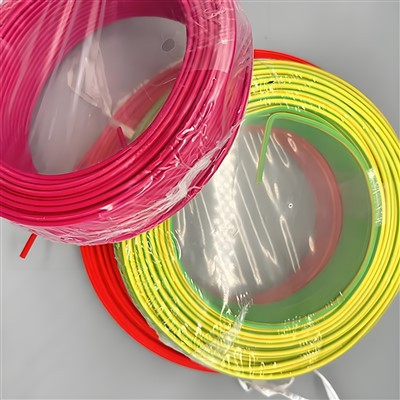
First, let’s talk about what you actually need to pull this off. I see people skip this step all the time, and it’s why half their installs go sideways. You don’t need a ton of stuff, but you can’t wing it. Here’s my go-to list: a cable-ready TV (duh, if it’s from the last 10 years, you’re good), a cable box or streaming gateway from us (we hook you up with the right one based on your plan), coaxial cables (always get 2-3 feet longer than you think you’ll need – I swear by RG6, it’s way better than the cheap RG59 stuff from the dollar store), a coaxial wall plate if you want clean lines (not just taping cables to the baseboards), a screwdriver set (Phillips and flathead), a wire stripper for coaxial, and a compression tool (this is a game-changer, trust me – way better than twisting caps on). Pro tip: Don’t buy bulk cables online without checking the insulation. If it’s thin or looks flimsy, pass. We stock premium RG6 at our shop, so hit us up if you need anything – no guesswork.
Next up, pre-install prep, and this is non-negotiable. First, scope out where you want your TV. Don’t just plop it above the fireplace if you don’t think about the cable run – make sure the path from the wall outlet to your TV is clear of furniture, doors, or other cords. I once had a customer who tried running a cable behind a bookshelf and ended up yanking the whole unit down by mistake. Oops. Next, check your wall outlet. Most homes have a cable jack in the living room, but if yours doesn’t, you can either run a new line or use a wireless adapter (though wired is way more reliable for signal). Also, call your local cable company to schedule a line check – we’ll make sure there’s no outage at the pole outside, and we can send a signal test to your home to catch dead zones before you start drilling. And here’s a little trick: turn off any electronics near where you’ll be working. Wi-Fi routers, gaming consoles, even space heaters can mess with the coaxial signal, so unplug them for 10 minutes to reset things.
Now, let’s get to the actual installation. If you’ve never done this, take it slow – I’d rather you spend an extra 10 minutes than mess up a cable. Step one: Prep the coaxial cable ends. Grab your wire stripper, and make sure it’s set to the right gauge for RG6. Strip about a half-inch of the outer insulation off the end, being super careful not to nick the copper core inside. If you cut the core, you’ll have no signal at all – I’ve done that once, and I spent an hour redoing it. Next, fold the braided metal shield back over the outer insulation (like a little skirt), and push the plastic dielectric (that white middle part) back a tiny bit so it’s not touching the core. Then, slide on the compression connector – this is where that tool comes in. Crimp it firmly with your compression tool until you hear a click, so it’s tight. No loose connections = no signal drops.
Step two: Connect to the wall. If you’re using a wall plate, unscrew the old jack (if there is one) and feed the new cable through the plate, then screw the connector on tight. If you’re just tapping into the existing outlet, unscrew the center screw on the jack, push the cable’s core onto the screw, wrap the braid around the grounding screw, and tighten everything down. Make sure it’s not over-tight – you don’t strip the plastic. Step three: Connect to your TV and cable box. Plug one end of the coaxial cable into the wall jack, the other into the “IN” port on your cable box. Then, take a second coaxial cable, plug one end into the “OUT” port on the box, and the other into the “ANT IN” or “CABLE IN” port on your TV. If you’re using a smart TV, you might not even need a box – just plug the cable straight in and scan for channels. Step four: Power everything up. Plug the cable box into an outlet, and turn on your TV and box. Now, grab your TV remote, go to the settings menu, and look for “Channel Scan” or “Auto-Tune” – this will let your TV pick up all the available channels. It takes 2-5 minutes, depending on how many channels are in your area.
Wait, what if you have more than one TV? A lot of people ask me this, and the answer is simple: a splitter. But here’s the thing – don’t use a cheap 2-way splitter. If you have two TVs, use a high-quality RG6 splitter rated for at least 1 GHz. Each split cuts the signal strength by half, so if you have three TVs, get a 3-way splitter – not two 2-way ones. Run one main cable from the wall to the splitter, then run separate cables from the splitter to each TV/box. Make sure each connection is tight, same as before. I had a customer with four TVs that kept losing channels until we swapped out his basic splitter for a premium one – fixed it instantly. No more yelling at the other end of the house because someone’s TV is fuzzy.
Now, troubleshooting common issues – this is the part I get the most calls for, so listen up. First, if you have no signal at all: Check all connections, every single one. They’re almost always loose. If they’re all tight, unplug the cable box for 30 seconds, plug it back in, and wait 5 minutes for it to reboot. That fixes 70% of no-signal problems. If the picture is fuzzy or pixelated: That’s usually a bad cable end or a weak signal. Double-check your compression connectors – if they look corroded or loose, re-do them. If that doesn’t work, move the splitter to a different port or try a shorter cable. Another big one: remote not working. First, make sure it’s paired with your cable box (hold down the TV and Cable buttons for 5 seconds until the light blinks, then enter the code for your TV – we can send you the codes anytime). If that doesn’t work, check the batteries, and make sure there’s nothing blocking the signal between the remote and the box. And if you get missing channels or channels that skip: That’s almost always a signal issue. Try moving your router further away from the cable box, or replace any old cables – even a 10-year-old RG59 cable will mess with modern signals.
A few pro tips from someone who’s been doing this forever, to save you time and money. First, run cables through the attic or baseboards if you can – hiding them makes your living room look way cleaner than taping them to the wall. We sell cable raceways that are super easy to install if you don’t want to drill. Second, don’t buy the cheapest connectors – compression connectors are worth the extra 50 cents each. I’ve seen people save a few bucks on crimp-on connectors, only to have them come loose in 6 months and have to re-do everything. Third, test everything before you finish mounting your TV. It sucks to hang a 55-inch TV only to realize the cable is too short. Fourth, if you’re not comfortable drilling or dealing with the signal test, our team can come out and do it for you – we charge a fair rate, and we’ll make sure everything is working perfectly.
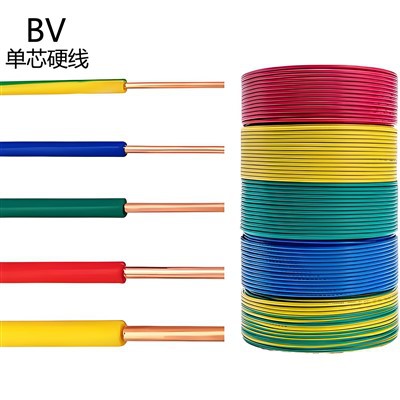
At the end of the day, installing a cable TV system isn’t rocket science. It’s all about taking your time, using quality parts, and checking every connection. No more buffering, no more missing live games, no more paying for extra streaming services that don’t have the channels you want. If you’re ready to get set up, or if you need any gear, a signal check, or even a full install, hit us up. We’re here to make this easy for you – no jargon, no hidden fees, just straight talk and solid service. Don’t waste another month dealing with unreliable TV. Let’s get your system up and running right.
References
Cable Federal Communications Commission. (2022). Home Cable Installation Guidelines. FCC.gov.
RG6 Coaxial Cable Standards. (2023). Cable Television Laboratories, Inc.
Consumer Reports. (2021). Best Practices for In-Home Cable Setups. ConsumerReports.org.
Hebei Liangyu Cable Co., Ltd.
We’re well-known as one of the leading cable manufacturers and suppliers in China, specialized in providing high quality customized service. We warmly welcome you to buy durable cable made in China here and get pricelist from our factory. For price consultation, contact us.
Address: Yanbai Industrial Zone, Jiajiakou Town, Ningjin County, Xingtai City, Hebei Province
E-mail: 18932990441@163.com
WebSite: https://www.liangyucable.com/
